With navigation
- Make sure you have the anti-theft codes for the radio and navigation system, then write down the channels for the XM radio's preset buttons.
- Remove the center panel (see DASHBOARD CENTER PANEL REMOVAL/INSTALLATION
).
- Remove the bolts, then pull out the audio unit (A).
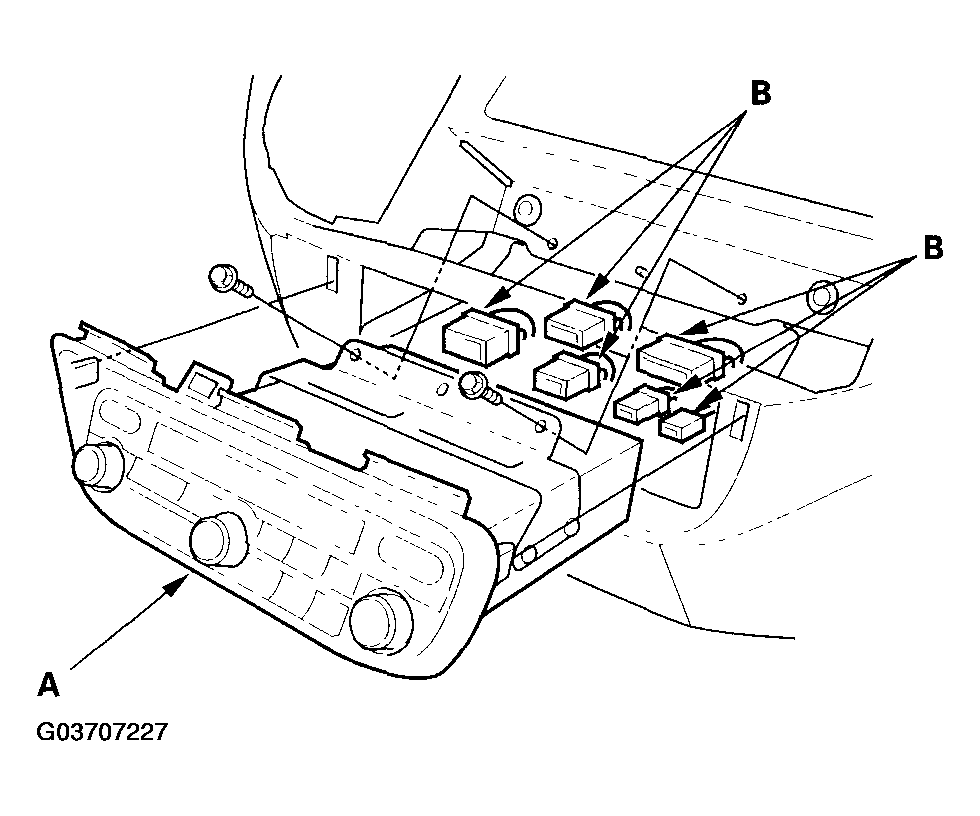 Courtesy of AMERICAN HONDA MOTOR CO., INC.
- Disconnect the connectors (B), then remove the audio unit.
- Remove the bolts, and the bracket (A).
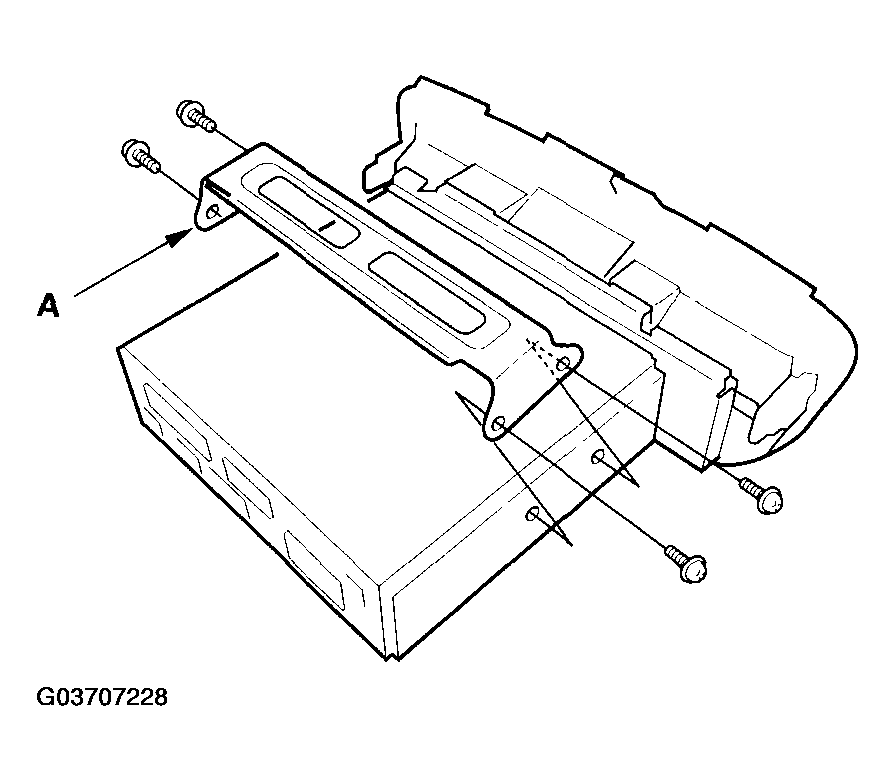 Courtesy of AMERICAN HONDA MOTOR CO., INC.
- Install the audio unit in the reverse order of removal, and note these items:
- Make sure all connectors and antenna lead are secure.
- Enter the anti-theft codes for the radio, then enter the customer's XM radio channel presets, and set the clock.
- If necessary, enter the navigation system code.